

New 10 YouTube Thumbnail AI Prompts for Men’s Engaging Content and High Click-Through Rates
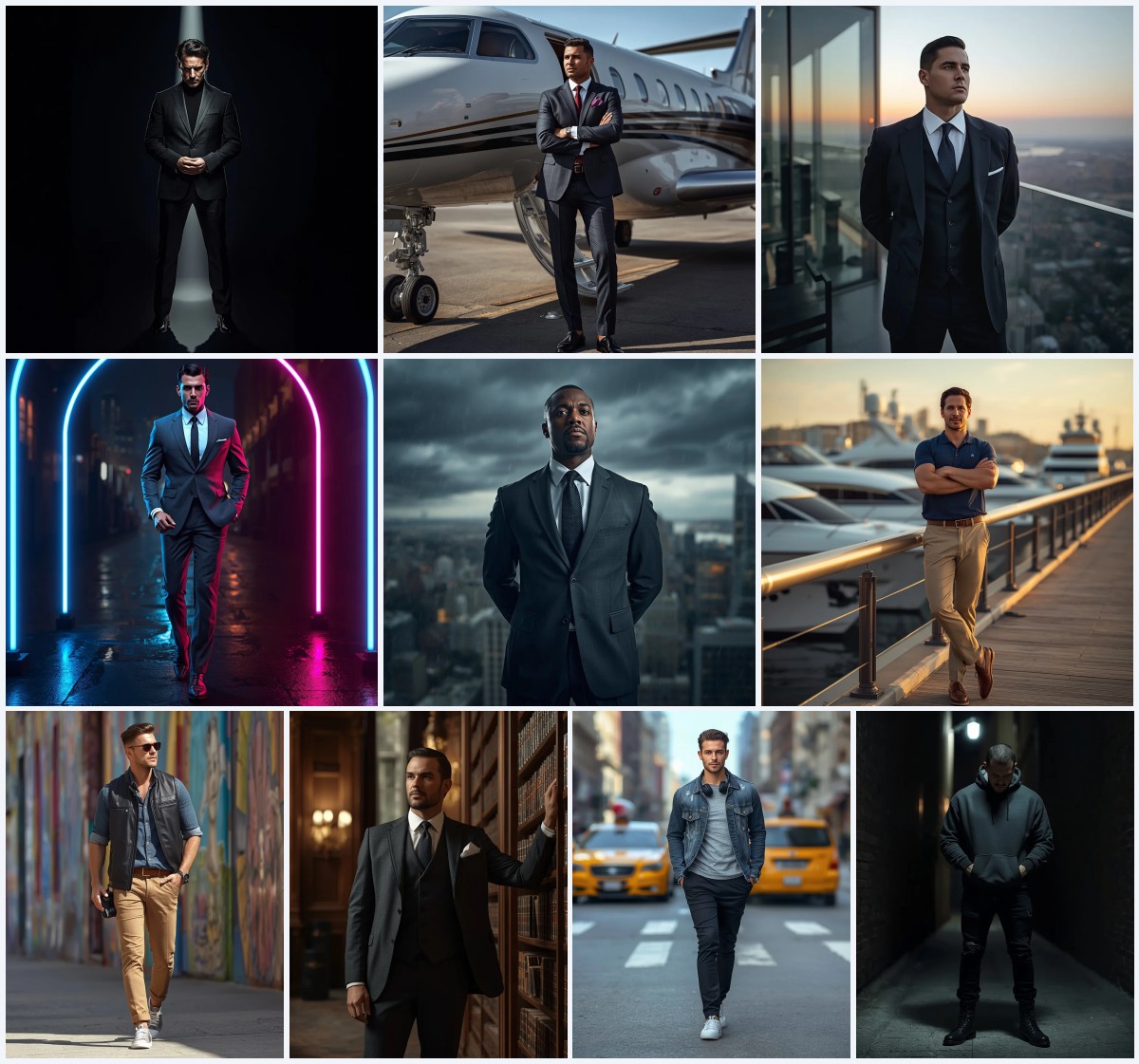
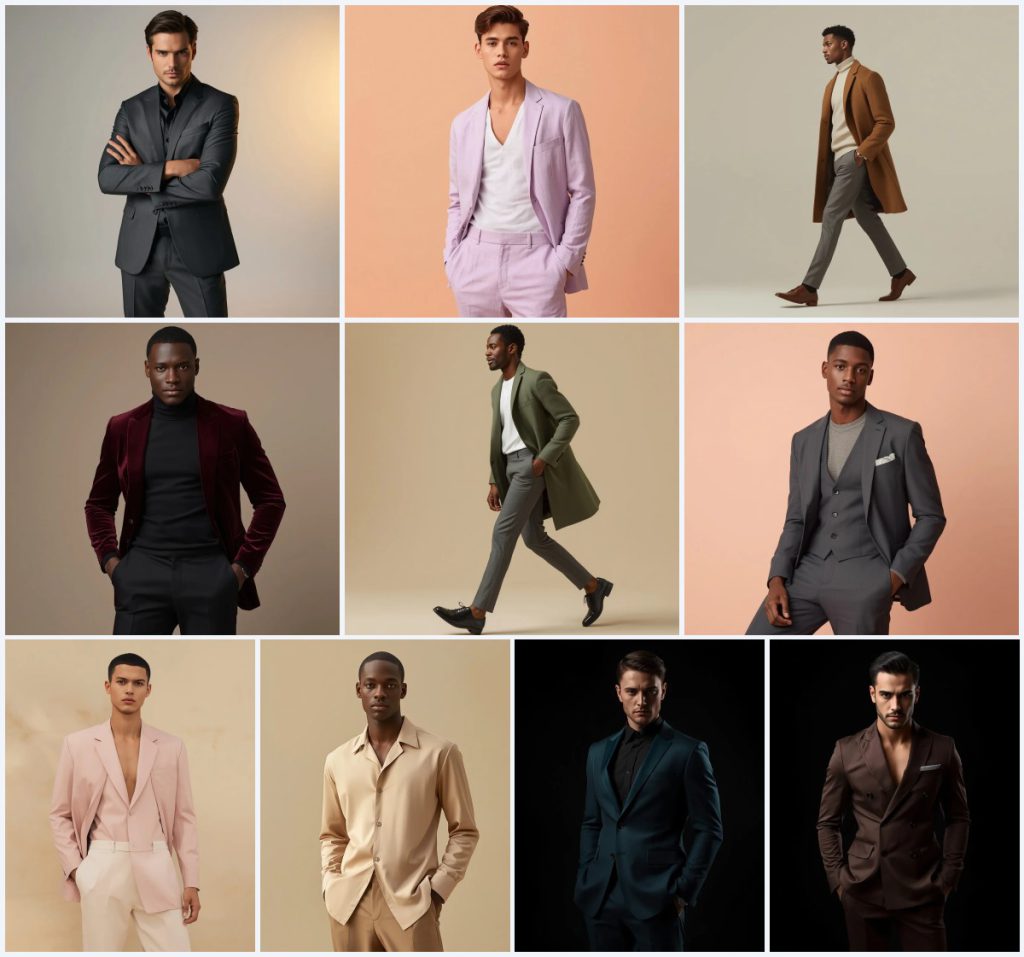
This collection brings together ten YouTube thumbnail AI prompts designed for men's engaging content, each built around a distinct outfit and studio setting. The prompts range from a sophisticated charcoal grey silk suit to a sharp chocolate brown double-breasted suit, giving creators a full wardrobe of options for thumbnails that need to stop the scroll.
Every prompt in this set follows a similar editorial formula: a full-body male subject, clean or gradient backgrounds, cinematic lighting, and DSLR-style realism with 8K resolution. That consistency makes the collection easy to use as a system, even though each card produces a different mood and color story.
What these men's thumbnail prompts are asking for
Each prompt describes a single male subject in a full-body pose, dressed in a specific tailored outfit and placed against a controlled studio backdrop. The collection leans on fashion-editorial language, so the results feel like magazine covers rather than casual snapshots, which is exactly what a high click-through thumbnail needs.
- A full-body standing or mid-stride male subject with a confident, composed expression.
- Specific garments such as a charcoal grey silk suit, soft lavender linen suit, warm camel hair coat, and deep burgundy velvet blazer.
- Clean studio backgrounds including white, soft pastel powder peach, warm ivory stone, and deep midnight black.
- Cinematic lighting described as spot lighting, soft lighting, or dramatic contrast with deep shadows.
- Photorealistic technical tags such as 85mm lens, f1.8, HDR, 8K resolution, and shallow depth of field.
- Skin texture details that range from a subtle glow to visible pores and fine detail.
The studio scene each prompt builds
The shared scene is a controlled fashion studio where the subject is isolated from any distracting environment. Backgrounds stay minimal, whether that means a "clean white studio with a soft, warm pastel grey gradient background" or a "deep midnight black background" that makes the suit pop. The lighting is always deliberate, using phrases like "cinematic spot lighting highlights his sharp facial contours" or "dramatic cinematic lighting that creates extreme contrast and deep shadows" to shape the face and fabric.
Poses are simple and readable, which matters for a thumbnail that will be viewed at small size. Several cards use a "full-body standing pose" with arms casually crossed, while others capture the subject "mid-stride" to suggest movement. The wardrobe does the storytelling, from a "refined sage green structured coat over a white tee" to a "sharp chocolate brown double-breasted suit with clean tailoring and structured design."
Why this collection works for YouTube thumbnails
These prompts are built for the specific demands of a YouTube thumbnail, where the image must read clearly at a glance and still feel premium enough to earn a click. The full-body framing, high-contrast lighting, and clean backgrounds all serve that goal.
- The full-body composition leaves natural negative space for text overlays without covering the subject's face.
- The editorial styling and luxury fabrics create an aspirational look that stands out in a crowded feed of casual photos.
- The consistent realism tags, such as 8K resolution and DSLR photography style, help maintain a professional finish across all ten thumbnails.
Three style directions inside this prompt set
This collection contains three clear style directions, and each one stays within the boundaries of the prompts as written. You are not being asked to abandon the studio setup or the full-body framing; you are choosing which mood to emphasize.
- Editorial fashion: The clean white or pastel backgrounds, tailored suits, and 85mm lens language push the image toward a magazine editorial look.
- Cinematic drama: The midnight black backgrounds and dramatic lighting with extreme contrast and deep shadows create a moody, film-still atmosphere.
- Soft minimalist: The powder peach and ivory stone backdrops with soft lighting and relaxed linen or silk garments produce a calm, modern, minimal aesthetic.
How to turn these prompts into a thumbnail
The workflow is the same for every card in this collection. You copy the prompt, optionally upload a reference for the face or pose, generate the image, and then inspect the result before using it as a thumbnail.
- Copy the prompt. Select the full text from the card you want, such as the charcoal silk suit or the sage green structured coat, and paste it into your image tool.
- Upload a reference. If you want a specific face or body type, upload a clear reference photo and let the tool use it for likeness while keeping the outfit and studio scene from the prompt.
- Generate the image. Run the prompt at a vertical or square aspect ratio that fits YouTube thumbnail dimensions, and generate a few variations to compare poses and lighting.
- Check the hands. Look closely at the hands, especially in poses with arms casually crossed, because AI often produces extra fingers or awkward joints.
- Check the face. Verify that the expression matches the prompt's intent, whether that is an intense, confident gaze or a calm, composed posture.
- Check the main object. Inspect the garment itself, such as the double-breasted suit or the velvet blazer, to confirm the fabric sheen and tailoring look correct.
Using a reference photo with these prompts
A reference photo is optional but useful if you want the thumbnail to feature a recognizable person rather than a generic model. The prompts already specify the outfit and scene, so your reference only needs to supply the face or the body proportions.
- Choose a photo with even lighting and a clear view of the face, because the prompts already control the studio lighting and background.
- Avoid busy backgrounds in the reference, since the prompt will replace the environment with a clean white, pastel, or midnight black setting.
- Match the reference pose loosely to the prompt, such as a standing or mid-stride position, so the generated body language stays natural.
Which tools handle these prompts best
Different image tools interpret fashion-editorial language in different ways. The table below compares four popular options for this specific collection, where the prompts rely on tailored garments and controlled studio lighting.
| Tool | Access | Typical realism | Useful here for |
|---|---|---|---|
| ChatGPT | Web and mobile, free and paid tiers | Good for concept drafts, less consistent for photoreal fabric | Testing outfit ideas like the burgundy velvet blazer before committing to a full generation. |
| Google Gemini | Web and mobile, free and paid tiers | Strong on prompt adherence and clean backgrounds | Handling the clean white studio and pastel gradient background described in the charcoal silk suit prompt. |
| Leonardo AI | Web, free credits and paid plans | High realism with good control over lighting | Rendering the cinematic spot lighting and fabric sheen on the charcoal grey silk suit. |
| Midjourney | Web and Discord, paid plans | Excellent editorial and fashion realism | Capturing the dramatic contrast and deep shadows of the dark teal suit against a midnight black background. |
Tips for better results with this collection
Small adjustments can make a big difference when you are generating thumbnails from these prompts. The following tips focus on real materials and objects named in the cards.
- When a prompt calls for a silk suit or a beige silk button-down shirt, add a phrase like 'subtle fabric sheen' to help the tool render the material correctly.
- For velvet garments such as the burgundy velvet blazer, ask for 'soft light absorption' so the fabric does not look like plastic.
- If you use the camel hair coat or the sage green structured coat, specify 'visible wool texture' to avoid a flat, painted appearance.
Common problems and how to fix them
Even strong prompts can produce predictable failures. Here are four issues this collection can run into and what to change in your next generation.
| Issue | What to change |
|---|---|
| Hands look deformed or have extra fingers | Add 'natural hands, five fingers' to the prompt and regenerate, or use an inpainting tool to fix the hands area. |
| The face looks generic or does not match the reference | Increase the reference image weight if your tool supports it, and add 'preserve facial identity' to the prompt. |
| The suit or coat fabric looks flat and lacks sheen | Add material-specific words like 'silk sheen' or 'velvet texture' and reduce any stylization settings. |
| The background is not clean and shows unwanted objects | Repeat the background clause from the prompt, such as 'clean white studio' or 'deep midnight black background', and lower the creativity setting. |
Frequently Asked Questions
Can I use these prompts for YouTube thumbnails with text overlays?
Yes. The full-body framing and clean backgrounds leave space around the subject for text. Keep the subject centered or slightly off-center so your title text does not cover the face.
Which prompt in this collection is best for a dramatic thumbnail?
The dark teal formal suit and the chocolate brown double-breasted suit both use a deep midnight black background with extreme contrast and deep shadows, which makes them the most dramatic options.
Do I need a reference photo to use these prompts?
No. Each prompt works as a standalone text-to-image generation. A reference photo is only useful if you want a specific person's face or body proportions in the thumbnail.
Conclusion
This collection gives you ten ready-made thumbnail directions, from the soft lavender linen suit to the sharp chocolate brown double-breasted suit, all built on the same reliable studio formula. Pick the mood that matches your video, copy the prompt, and generate a few variations before choosing the final image. With a quick check on hands, face, and fabric, you can produce a thumbnail that looks editorial and earns the click.
Only edit and upload photos you have the right to edit, whether they are your own shots or images you have licensed for commercial use.