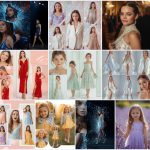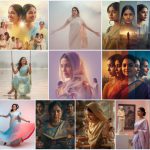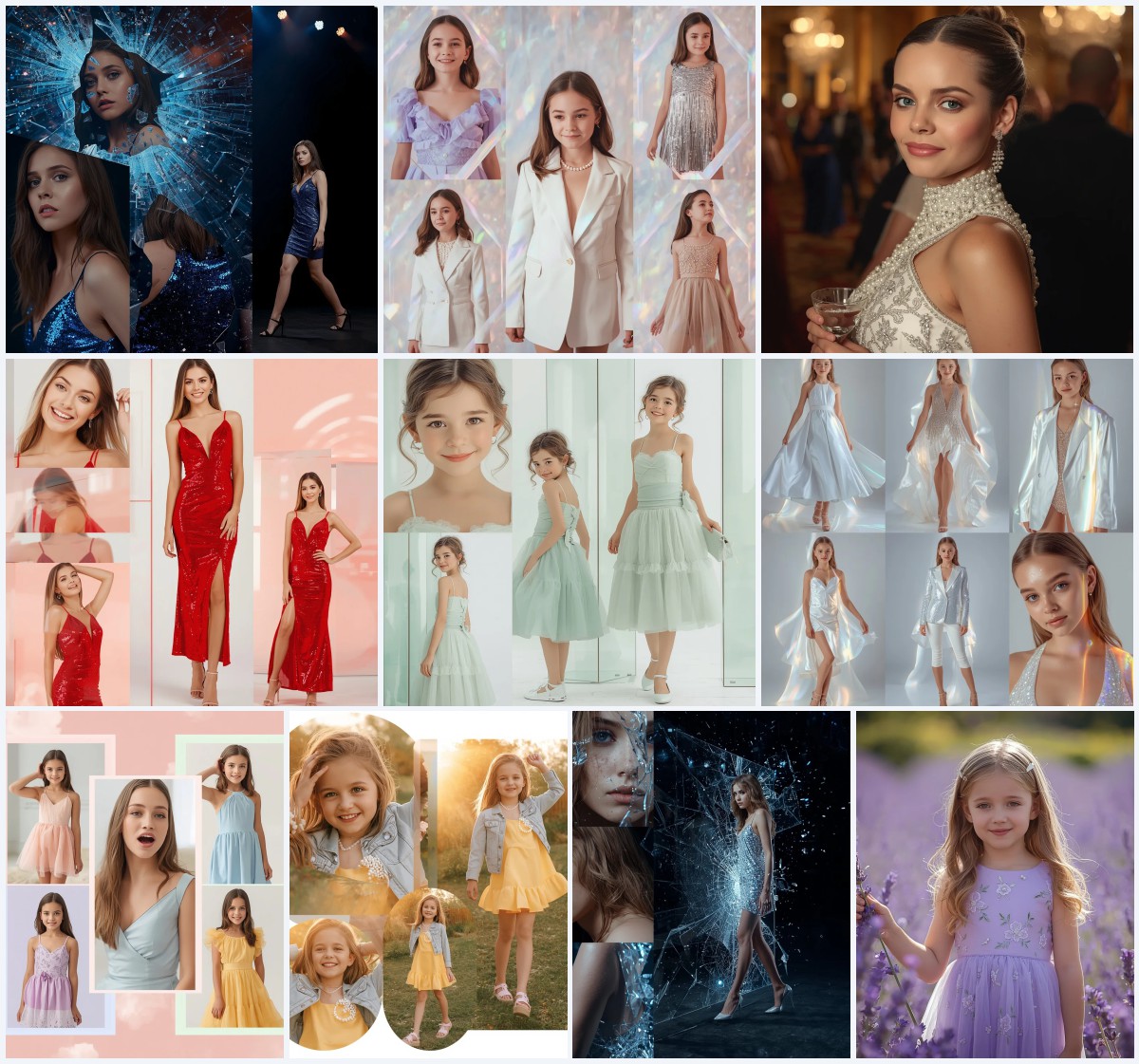


Best 10 Saree with Book AI Prompts for Intellectual and Graceful Portraits
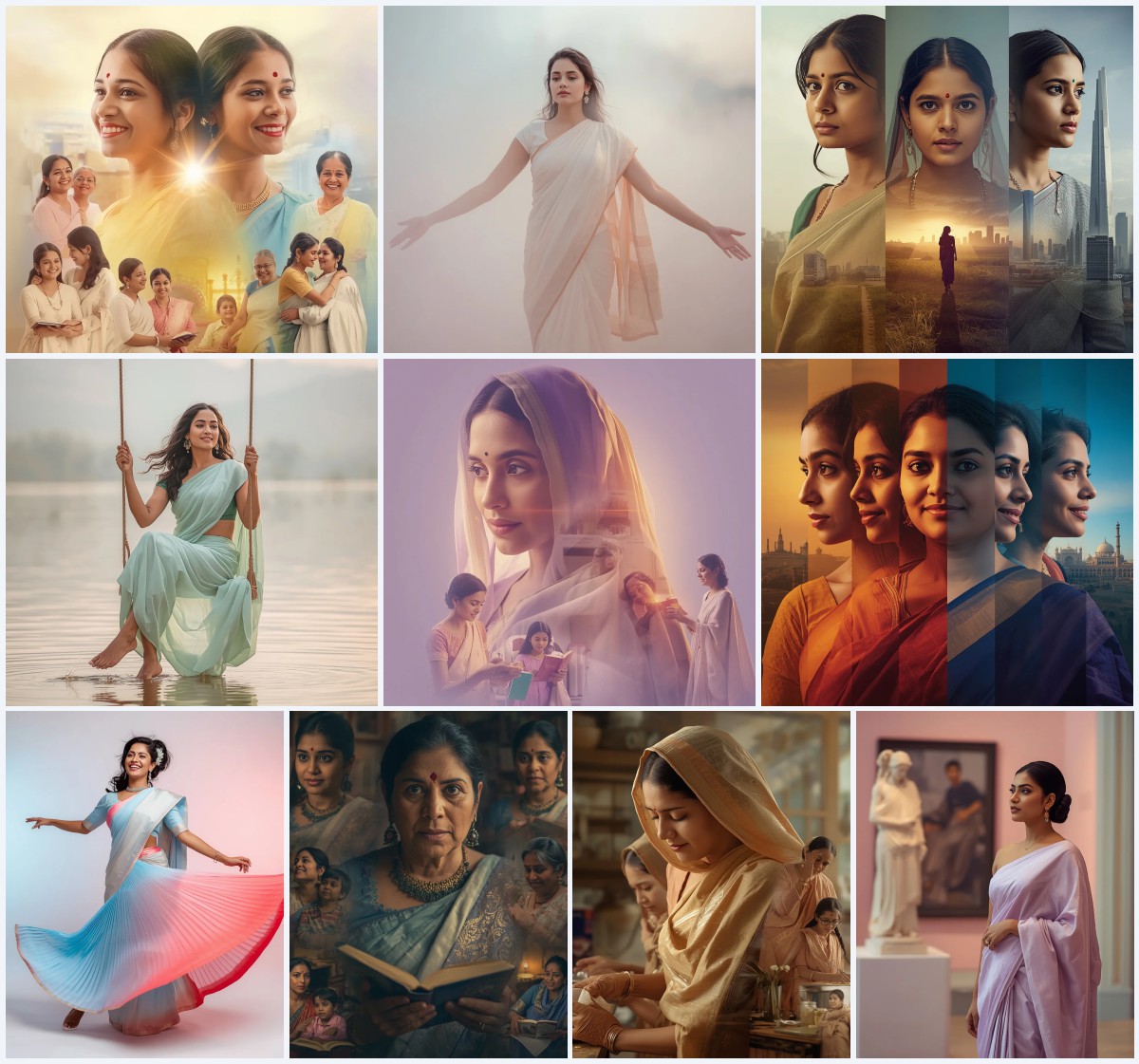
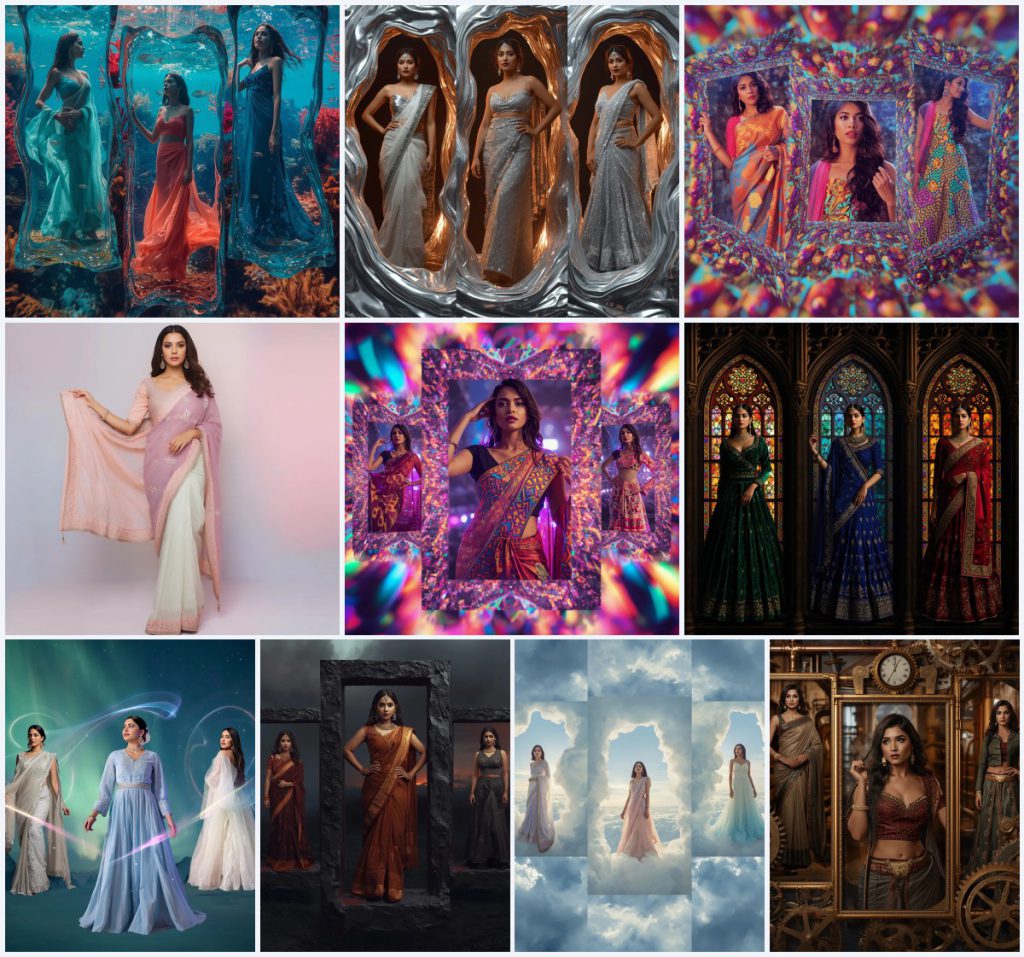
The 'Best 10 Saree with Book AI Prompts for Intellectual and Graceful Portraits' collection reimagines the timeless elegance of the Indian saree through a lens of literary charm and artistic innovation. Each prompt in this set places a woman in a serene, book-filled setting or a surreal collage, merging the soft drape of traditional fabrics with the quiet power of knowledge. The result is a series of images that feel both deeply cultured and refreshingly modern, perfect for Instagram, Pinterest, or personal creative projects.
From underwater coral gardens to steampunk gearwork frames, these prompts push beyond simple fashion photography. They invite you to craft portraits where a saree becomes part of a larger narrative—whether it's a pastel dreamscape, a molten silver fantasy, or a stained glass reverie. The collection celebrates the saree not just as clothing, but as a canvas for storytelling, intellect, and grace.
What this saree-with-book collection is asking for
This collection of ten prompts builds a visual library of Indian women in sarees and fusion outfits, each framed by a distinct artistic concept. The unifying thread is the blend of intellectual poise with elaborate, often surreal, visual settings. You’ll find recurring elements like flowing fabrics, reflective lighting, and collage-style compositions that segment the image into multiple frames. The prompts span a wide range of aesthetics—from ethereal underwater scenes to gritty volcanic landscapes—ensuring every generated portrait carries a unique mood while maintaining the core theme of grace and intellect.
- An Indian woman as the central subject in every prompt
- Multiple festive outfits per collage, such as a chiffon saree, lehenga, or fusion gown
- Collage frames made of thematic materials like stained glass, liquid silver, or cloud formations
- Dynamic lighting effects including bioluminescent glows, harsh metallic highlights, or soft diffused daylight
- Poses that convey weightlessness, regal confidence, or contemplative dignity
- Backgrounds that reinforce the theme, like vaulted cathedrals, starry night skies, or industrial interiors
The visual world each prompt builds
The scenes in this collection are as varied as the fabrics they describe. In the 'Underwater Coral Reef Garden Collage,' you’ll see an Indian woman 'gracefully posed amidst vibrant coral reefs and shimmering schools of fish,' her body suspended in weightless elegance. The frames themselves are 'fluid, water-like' structures that refract light, creating 'mesmerizing light patterns, mimicking sun-dappled depths.' Meanwhile, the 'Gothic Revival Stained Glass Collage' shifts to a grand interior, where a woman in jewel-toned fabrics is 'framed by intricate stained glass patterns and ornate architectural elements,' with 'dramatic, directional lighting through the stained glass windows' casting luminous mosaics on her skin.
Other prompts take a more abstract turn. The 'Molten Silver Liquid Metal Collage' surrounds the subject with 'swirling, incandescent liquid silver and glowing molten textures,' giving the portrait a forged, powerful feel. In the 'Aurora Borealis Light Streak Collage,' the woman is 'surrounded by shimmering, ribbon-like light streaks of the northern lights,' her outfits catching the 'shifting greens, blues, and purples' of the aurora. Even the single-image 'Serene Portrait' stands out, with its 'minimal background with dreamy pastel gradients and diffused cinematic lighting' that keeps the focus on the saree’s embroidery and the subject’s soft glam makeup.
Why this collection resonates with creators
- It fuses traditional Indian attire with avant-garde art styles, making each image feel both rooted and experimental—perfect for standing out on visual platforms.
- The collage format in most prompts allows you to showcase multiple outfits and moods in a single generation, offering variety without needing multiple renders.
- The intellectual undertone, implied by the book theme and contemplative poses, adds depth to the portraits, appealing to audiences seeking more than just fashion imagery.
Three artistic styles shaping these prompts
This collection draws on three distinct artistic styles to achieve its signature look. Each style is embedded directly into the prompt language, ensuring the generated image stays true to the intended aesthetic without requiring external modifications.
- Surreal Collage: The prompts use fragmented, multi-frame layouts where the woman appears in different outfits within a single composition, as seen in the optical illusion grids and fractal patterns.
- Ultra-Realistic Rendering: Despite the fantastical settings, every prompt specifies high-detail textures, cinematic lighting, and lifelike skin rendering to keep the portraits grounded and believable.
- Thematic Lighting: Light is a core design element, from bioluminescent glows to harsh metallic reflections, shaping the mood and emphasizing fabric textures across all ten prompts.
How to generate images from these prompts
Turning these prompts into striking portraits is straightforward if you follow a clear process. Start by selecting one prompt from the collection that matches your desired mood—whether it’s the dreamy pastels of the serene portrait or the gritty textures of the volcanic ash collage. Paste the full prompt into your chosen AI image generator, and consider uploading a reference photo if you want the subject’s face or body type to remain consistent. After generating, review the output carefully for common AI artifacts, especially in hands, facial features, and the intricate details of the saree drapes.
- Copy the prompt. Select a prompt from the collection and copy its full text exactly as written to preserve the detailed lighting and framing instructions.
- Upload a reference image. If your tool supports it, upload a clear photo of a person or a pose reference to guide the AI toward a specific look or body language.
- Generate the image. Run the prompt in your chosen AI generator, using default settings unless the prompt specifies a particular aspect ratio or style parameter.
- Check the hands. Zoom in on the hands and fingers, as AI often distorts them; look for extra digits, unnatural bends, or blurred edges.
- Inspect the face. Examine the facial features for symmetry, catchlights in the eyes, and alignment with the described expression, such as serene or regal.
- Review the main object. For these prompts, focus on the saree’s drape, embroidery, and how it interacts with the thematic frames—ensure no fabric merges awkwardly with the background.
Using a reference photo with these prompts
A reference photo can significantly improve the consistency and realism of your generated portraits, especially when you want the subject to resemble a specific person or maintain a uniform look across multiple prompts. Upload a well-lit, front-facing image where the person’s features and skin tone are clearly visible. The AI will use this as a base, adapting the pose and outfit while keeping the facial structure intact.
- Choose a photo with even, soft lighting to avoid harsh shadows that might confuse the AI when it adds dramatic effects like bioluminescence or stained glass glows.
- Ensure the reference shows the full face and shoulders clearly, as many prompts describe specific expressions and makeup details like glossy lips or shimmer eyeshadow.
- Avoid busy backgrounds in your reference; a plain wall helps the AI separate the subject and apply the complex thematic backdrops without artifacts.
Recommended AI tools for these saree prompts
Different AI image generators handle the intricate details of these prompts with varying degrees of success. The table below compares four popular tools based on accessibility, realism, and their specific strengths for this collection. Each tool can produce compelling results, but your choice may depend on how it interprets the reflective fabrics and complex lighting described in prompts like the molten silver or aurora borealis collages.
| Tool | Access | Typical realism | Useful here for |
|---|---|---|---|
| ChatGPT | Subscription-based | High, with strong prompt adherence | Rendering the bioluminescent lighting and watery refractions in the underwater coral reef collage accurately. |
| Google Gemini | Free tier available | Moderate to high, good with textures | Capturing the intricate stained glass patterns and jewel-toned fabric embroidery in the Gothic Revival prompt. |
| Leonardo AI | Freemium with daily credits | High, excellent for cinematic looks | Producing the soft pastel gradients and diffused cinematic lighting of the serene portrait prompt. |
| Midjourney | Subscription-based | Very high, artistic and detailed | Generating the surreal optical illusion grids and kaleidoscopic prints in the psychedelic collage prompts. |
Three tips for better results with these prompts
Getting the most out of this collection requires a bit of finesse. These tips focus on specific materials and objects mentioned in the prompts to help you refine the output and avoid common pitfalls. By paying attention to how the AI handles these elements, you can elevate your portraits from good to stunning.
- When generating the 'Molten Silver Liquid Metal Collage,' emphasize the silver tissue saree and grey sequined lehenga by adding a slight contrast boost in post-processing; this makes the metallic reflections pop against the dark void background.
- For the 'Zenith Cloudscape Collage,' check that the gradient blue-to-white chiffon saree transitions smoothly without harsh lines, as AI sometimes struggles with ombre effects in flowing fabrics.
- In the 'Steampunk Gearwork Collage,' ensure the leather accents on the structured saree and the cogwheel motifs on the jacket-style gown remain distinct; if they blend into the brass gears, try regenerating with a slightly lower style weight.
Common issues and how to fix them
Even with well-crafted prompts, AI image generators can produce flawed results. The table below outlines four typical failures you might encounter with this collection and simple adjustments to correct them. These fixes are based on real quirks observed in AI rendering of complex fabrics, lighting, and collage layouts.
| Issue | What to change |
|---|---|
| Fabric textures look flat or plastic-like in the underwater or volcanic prompts | Add terms like 'textured silk,' 'rough embellishments,' or 'sheer chiffon' to the prompt and increase the detail or realism slider in your tool. |
| Collage frames merge awkwardly, making it hard to distinguish separate outfits | Specify 'distinct, clearly separated frames' or reduce the complexity by generating one frame at a time and compositing manually. |
| Bioluminescent or aurora lighting overexposes the subject’s skin | Lower the lighting intensity by adding 'soft, balanced glow' and use a negative prompt for 'blown highlights, overexposed skin.' |
| Hands and fingers appear distorted in weightless or dynamic poses | Use a reference photo with clear hand positioning, and if the issue persists, crop tightly or regenerate with a focus on hands using inpainting tools. |
Frequently Asked Questions
Can I use these prompts to generate images of women who aren't Indian?
The prompts specifically describe an Indian woman as the subject, which influences the facial features, skin tone, and cultural styling. You can modify the ethnicity in the prompt, but the outfits like sarees and lehengas are inherently tied to South Asian aesthetics, so changing the subject may create a fusion look rather than a traditional portrait.
Are these prompts suitable for generating video or animation content?
While these prompts are optimized for still images, you could use them as keyframe descriptions for AI video tools. The detailed lighting and pose instructions—like 'weightless and elegant, showcasing suspended movement'—provide a strong starting point, but you'll likely need to add motion-specific terms for smooth animations.
How do I combine multiple prompts from this collection into one cohesive series?
To create a unified series, keep the subject's facial features consistent by using the same reference photo across all generations. Then, select prompts with complementary color palettes, such as the pastel serene portrait and the aurora borealis collage, to maintain a harmonious feed on platforms like Instagram.
Conclusion
The 'Best 10 Saree with Book AI Prompts for Intellectual and Graceful Portraits' collection offers a rich playground for anyone looking to blend traditional elegance with cutting-edge AI artistry. From the serene simplicity of a pastel designer saree to the complex, multi-frame surrealism of psychedelic grids and molten metals, each prompt invites you to explore a different facet of beauty and intellect. By following the tips and troubleshooting advice, you can generate portraits that feel both deeply personal and universally captivating, ready to inspire your audience or simply adorn your creative portfolio.
Remember, always edit and share only photos you have the legal right to modify, ensuring your creative work respects the original source material.